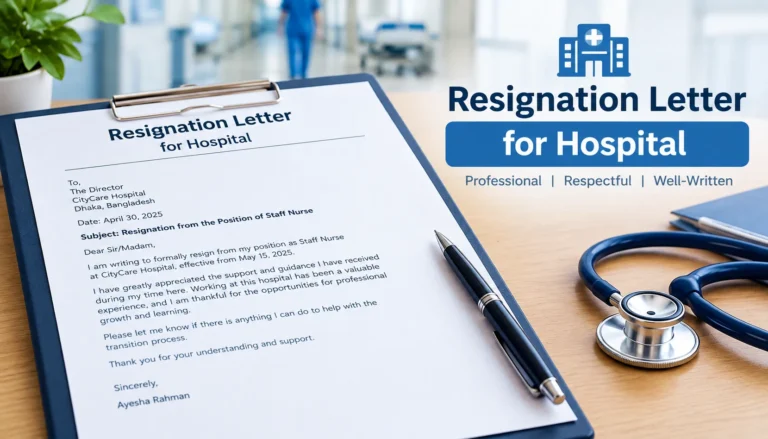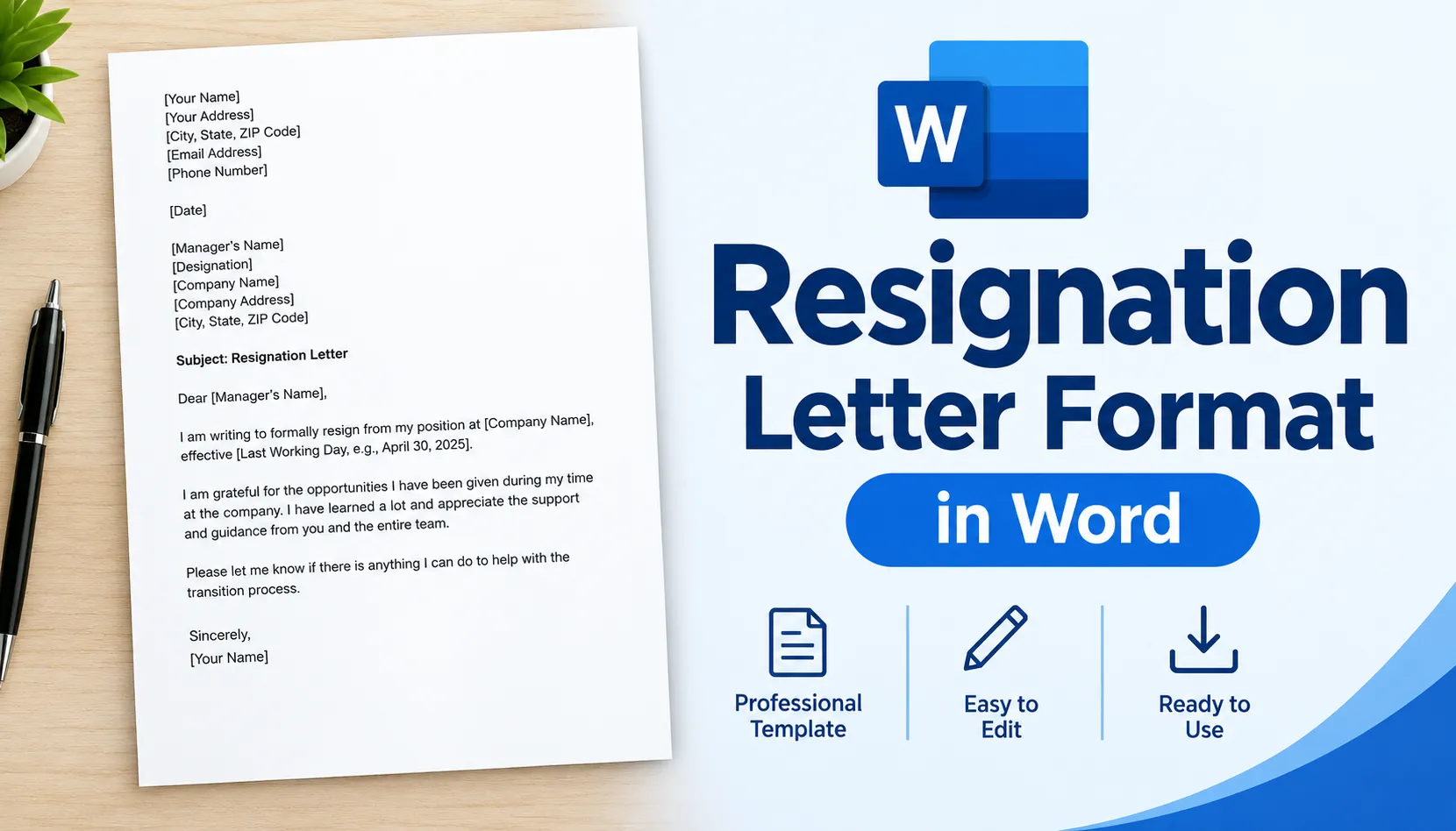

If you are searching for a resignation letter format Word file, you probably want two things: a layout you can paste in and edit, and some confidence that it will look right when HR opens it. Both are easy to get. A resignation letter in Microsoft Word is a one-page document with a date, a clear statement that you are leaving, your last working day and a polite close. Set it up once and the whole thing takes about five minutes.
This guide covers the exact layout, the page settings that make it look professional, a sample you can copy, and a few mistakes that make a good letter look sloppy.
What Is a Resignation Letter Format in Word?
It is a ready-made structure for your resignation letter, built in a Word document so you can edit the details and send it as a file or print it. Most people use Word because HR teams open .docx files without trouble, and the layout stays the same on any computer.
If you want the full breakdown of how a letter is organised, the resignation letter format guide on this site goes through each part. This page focuses on getting it right inside Word.
Why Word Is Still the Safe Choice
Google Docs and phone apps work fine for drafting. Word wins when the letter has to be official.
- Predictable layout: Margins, fonts and spacing do not shift when someone else opens the file.
- Easy to print and sign: A Word file prints cleanly, so you can sign it by hand.
- Simple to convert: You can save the same letter as a PDF in two clicks.
- Templates built in: Word has its own resignation letter templates if you want a head start.
Resignation Letter Format Word Layout (What Goes Where)
Every section of the letter has a job. Here is the order to follow and the Word detail that goes with each part.
| Section | What to Include | Word Tip |
| Your details | Name, address, phone, email | Put them at the top left, one item per line |
| Date | Today’s date | Type it in full, such as 8 October 2026 |
| Recipient | Manager’s name, designation, company | Leave one blank line above and below |
| Subject line | “Resignation Letter – [Your Name]” | Make it bold, nothing else |
| Salutation | “Dear [Manager’s Name],” | Use a comma, not a colon |
| Opening | A direct statement that you are resigning | Keep it to one or two sentences |
| Last working day | The exact date based on your notice period | Write the full date, never “after 30 days” |
| Thanks and handover | One line of thanks, one line offering help | Optional, but worth including |
| Closing | “Sincerely,” then your name and signature space | Leave about four blank lines for a pen signature |
Best Word Settings for a Resignation Letter
You do not need to design anything. Plain and consistent looks the most professional. These settings work in almost every workplace.
| Setting | Recommended | Why It Works |
| Font | Calibri, Arial or Times New Roman | Familiar fonts that open the same everywhere |
| Font size | 11 or 12 pt | Easy to read on screen and in print |
| Margins | 1 inch on all sides | This is Word’s default, so leave it alone |
| Line spacing | Single, with a blank line between paragraphs | Keeps the letter on one page |
| Alignment | Left aligned | Justified text can leave odd gaps |
| Page length | One page | Most resignation letters run 100 to 200 words |
| File name | Resignation-Letter-Your-Name.docx | Clear and easy for HR to find |
How to Create a Resignation Letter in Word
You can start from a blank page or use a built-in template. Either way works.
- Open Word and start a blank document: Or go to File, then New, and search for “resignation letter” to see Microsoft’s templates.
- Set the font and spacing first: Pick your font and size, then set single spacing so the whole letter follows the same rules.
- Add your details, the date and the recipient: Follow the order in the layout table above.
- Write the opening line: Say plainly that you are resigning from your position, and name the position.
- Add your last working day: Check your contract or offer letter for the notice period before you type a date.
- Close politely: Add a short thank you, a handover offer, then “Sincerely,” and your name.
- Read it once out loud: Typos in a resignation letter stay in your file for years.
If you are not sure how to word the opening, the how to write a resignation letter guide has simple phrasing for every part.
Sample Resignation Letter You Can Paste Into Word
Copy this into a blank Word page, replace the brackets and adjust the tone to fit your workplace.
[Your Name]
[Your Address]
[Phone Number] | [Email Address]
[Date]
[Manager’s Name]
[Designation]
[Company Name]
Subject: Resignation Letter – [Your Name]
Dear [Manager’s Name],
I am writing to formally resign from my position as [Job Title] at [Company Name]. My last working day will be [Last Working Day], in line with my [notice period] notice period.
Thank you for the opportunities and support I have had during my time here. I am happy to help with the handover so the transition is smooth for the team.
Sincerely,
[Signature]
[Your Name]
Pick the Version That Fits Your Situation
The Word layout stays the same, but the wording changes depending on why you are leaving.
- If you would rather keep your reason private, use the personal reason resignation letter format and keep the explanation to one line.
- For a standard exit from a company, the employment resignation letter page has formats and samples you can adapt.
- If you just need quick wording for a regular exit, the job resignation letter page covers it with short templates.
- Want the shortest possible version? The resign letter guide shows how little you actually need to write.
- Prefer to write in your own language? There is a resignation letter in Hindi guide with a proper format.
You can also browse more free resignation letter templates and resignation letter examples if you want to compare a few styles before you decide.
Formatting Mistakes That Make a Letter Look Careless
Most of these take ten seconds to fix.
- Mixing fonts: Pasting from an email or website often drags in a second font. Use Paste, then Keep Text Only.
- Decorative styling: Colours, borders and fancy fonts do not belong in a resignation letter.
- Two pages: If it spills over, your letter is too long. Cut it down.
- No last working day: This is the detail HR looks for first, so put the full date in.
- Leftover tracked changes: Turn off Track Changes and accept all edits before sending.
- A vague file name: “Document1.docx” looks careless. Name it after yourself.
Saving, Sending and Keeping a Copy
Save the letter as a .docx file first. If your company accepts PDFs, go to File, then Save As, and choose PDF, so the formatting cannot change on the other end.
Before you email it, check the document for hidden details such as old comments or author information. In Word, go to File, then Info, then Check for Issues, then Inspect Document.
Keep a signed copy or a sent-email record for yourself. Companies often ask for it later when they process your final settlement or issue a relieving letter. If you have a question that is not covered here, you can reach out through the contact page, or read more on the blog.
Frequently Asked Questions
- What is the best resignation letter format in Word?
A one-page letter with your details, the date, the recipient, a subject line, a direct resignation statement, your last working day and a polite closing. Use a standard font at 11 or 12 pt with 1 inch margins.
- Does Word have a built-in resignation letter template?
Yes. Go to File, then New, and search for “resignation letter.” You will see several templates you can open and edit. Many people still prefer a blank page because the templates can look more decorated than needed.
- Should I send my resignation letter as Word or PDF?
Follow what your company asks for. If there is no instruction, a PDF keeps the layout fixed, while a Word file lets HR edit or copy details. When in doubt, attach the PDF and keep the .docx for yourself.
- What font should I use for a resignation letter?
Calibri, Arial or Times New Roman at 11 or 12 pt. The goal is for the letter to look the same on every computer, so avoid unusual fonts.
- How long should a resignation letter be in Word?
One page, usually 100 to 200 words. A short letter is easier to process and leaves less room for mistakes.
- Do I need to sign a resignation letter in Word?
If you hand over a printed copy, yes, sign it by hand in the space above your name. For an emailed letter, many companies accept a typed name, but a scanned signature is safer if they ask for one.
- Can I use the same Word format for an email resignation?
Yes. Paste the body of the letter into your email, or attach the file and write a short cover line. Keep the subject line clear, such as “Resignation – [Your Name].”
Conclusion
A good resignation letter format in Word is simple: one page, a standard font, clear sections and an exact last working day. You do not need a fancy template. You need a clean layout, the right details and a polite tone.
Copy the sample above, set the page up with the settings in the table, and save a PDF copy before you send it. Do that and your letter will look professional on any computer, which is all it needs to do.